

Nonprofits and ministries often face overwhelming administrative tasks that drain time from mission work. Website automation offers a powerful solution, enabling organizations to reclaim up to 40% of their administrative hours while simultaneously boosting donor engagement and donations. This guide explores how automation transforms operations, debunks common myths, and provides practical steps for implementation tailored to faith-based organizations.
Table of Contents
- Introduction to website automation for nonprofits
- How website automation enhances operational efficiency
- Boosting donations through automated engagement
- Enhancing engagement with automated communications
- Common misconceptions about website automation in nonprofits
- Comparison of website automation tools for nonprofits
- Implementing website automation: practical steps for nonprofits
- Measuring impact and optimizing with automation
- Explore powerful website automation solutions with MCNM
- Frequently asked questions about website automation for nonprofits
Key takeaways
| Point | Details |
|---|---|
| Automation reduces workload | Automating website tasks cuts administrative work by up to 40%, freeing staff for mission-focused activities. |
| Personalized engagement boosts giving | Automated personalized communications increase donations by 33% through targeted supporter outreach. |
| Common myths prevent adoption | Misconceptions about cost and depersonalization stop many organizations from leveraging accessible, relationship-building automation tools. |
| Tool selection matches organizational needs | Comparison frameworks help nonprofits choose solutions based on size, budget, and feature requirements for scalable growth. |
| Phased implementation ensures success | Starting small with high-impact tasks and monitoring data optimizes automation rollout without overwhelming teams or supporters. |
Introduction to website automation for nonprofits
Website automation refers to software tools that handle repetitive digital tasks without manual intervention. For nonprofits and ministries, this means automating email campaigns, donor data updates, content publishing, and volunteer scheduling. The result is streamlined workflows that let small teams accomplish more with limited resources.
Common automated functions include scheduling donation acknowledgment emails, updating supporter records after events, posting social media content, and sending volunteer reminders. Each automation replaces hours of manual work that previously pulled staff away from direct ministry and outreach efforts.
The benefits extend beyond simple time savings. Automation enables nonprofits to save about 10 hours weekly by reducing manual website and donor management tasks. These recovered hours translate to more community engagement, program development, and strategic planning. Scalability becomes achievable without proportional budget increases, a critical advantage for resource-constrained organizations.
Understanding why use content automation helps organizations identify which tasks deserve immediate attention. The key is recognizing that automation serves your mission by removing barriers between your team and the people you serve.
How website automation enhances operational efficiency
Automating website tasks reduces administrative workload by up to 40% for nonprofits, creating capacity for strategic initiatives. This efficiency gain stems from eliminating repetitive manual processes that consume staff time daily.
Specific workload reductions include:
- Data entry for donor information and gift processing, which can consume 5-8 hours weekly for small organizations
- Manual email composition and scheduling for campaigns, updates, and thank-you messages
- Content publishing across websites and social platforms, including event announcements and ministry updates
- Report generation for board meetings, grant applications, and performance tracking
When automation handles these tasks, staff capacity shifts toward mission-driven goals like building donor relationships, developing programs, and engaging communities. A ministry that previously spent 15 hours monthly on email campaigns can redirect that time to personal outreach and discipleship.

The impact on focus is measurable. Teams report increased job satisfaction when freed from repetitive administrative duties, leading to better retention and more creative problem-solving. Your organization's unique calling receives the attention it deserves.
Pro Tip: Prioritize automating repetitive, time-consuming tasks first to maximize quick wins. Start with donation acknowledgments or event reminders, where immediate value becomes visible to both staff and supporters.
Exploring automation tools nonprofits efficiency reveals that organizations hitting efficiency plateaus often need strategic automation implementation rather than simply working harder.
Boosting donations through automated engagement
Automation-driven personalized communication results in 33% more donations for nonprofits. This remarkable increase stems from delivering relevant messages at optimal times based on supporter behavior and preferences.
Personalized automation works through segmentation. You group supporters by giving history, interests, volunteer involvement, or engagement level. Each segment receives tailored content that speaks directly to their connection with your mission. A monthly donor sees different messaging than a first-time event attendee, creating relevance that generic communications cannot match.
Best practices for donation-focused automation include:
- Triggered emails after specific actions, like thanking donors within 24 hours or following up with lapsed givers after 90 days of inactivity
- Personalized ask amounts based on giving history, making requests feel thoughtful rather than generic
- Storytelling sequences that show impact over time, connecting donations to tangible ministry outcomes
- Birthday or anniversary messages that acknowledge personal milestones, strengthening emotional bonds
Balancing automation frequency prevents donor fatigue. Most nonprofits find success with 2-4 monthly touchpoints for engaged supporters, scaling back for less active segments. Monitor unsubscribe rates and engagement metrics to find your organization's sweet spot.
Pro Tip: Use supporter segmentation to send relevant messages boosting giving likelihood. A donor who supports your youth programs should receive updates about those initiatives, not general organizational news.
Leveraging ai personalization donor engagement takes these strategies further by using artificial intelligence to predict optimal messaging and timing for each supporter.
Enhancing engagement with automated communications
Automation extends far beyond donation requests, supporting volunteer recruitment, event participation, and ongoing supporter relationships. Nonprofits see significant retention improvements through automated email marketing and volunteer recruitment workflows.
Volunteer onboarding exemplifies automation's relationship-building power. When someone expresses interest, they immediately receive a welcome email with next steps. Automated drip campaigns then deliver training resources, upcoming opportunities, and impact stories over several weeks. This structured approach ensures consistent communication that manual processes often miss.
Event engagement benefits from automated reminders and follow-up sequences. Send initial confirmations, pre-event details three days before, day-of reminders, and post-event thank-you messages with impact reports. Each touchpoint reinforces connection without requiring staff to manually track attendee lists.
Use cases for ongoing communication include:
- Monthly ministry updates sharing stories, needs, and victories
- Prayer request sharing for faith-based organizations building spiritual community
- Seasonal campaigns tied to giving seasons like year-end or specific awareness months
- Educational content series that deepen understanding of your mission and impact
SMS automation reaches supporters where they already engage daily. Text reminders for events achieve 98% open rates compared to 20% for email, making them valuable for time-sensitive communications. Keep messages brief and actionable.
Pro Tip: Schedule consistent automated touchpoints to maintain relationship momentum. A quarterly check-in with inactive supporters can reignite engagement before the relationship goes completely cold.
Implementing email marketing automation nonprofits strategies ensures you build sustainable engagement systems rather than one-off campaigns.
Common misconceptions about website automation in nonprofits
Several myths prevent nonprofits from adopting automation, despite its proven benefits. Addressing these misconceptions helps organizations move past hesitation toward confident implementation.
Myth 1: Automation depersonalizes outreach and makes supporters feel like numbers. Reality: Automation can deepen personalized donor relationships by enabling targeted communications impossible to manage manually. Segmentation and behavioral triggers create relevance that mass emails never achieve. The personal touch comes from speaking to specific interests and needs, not from manually typing each message.
Myth 2: Over-automating everything creates maximum efficiency. Reality: Phased rollouts prevent donor fatigue and technical overwhelm. Start with 1-2 automated workflows, measure results, then expand gradually. Organizations that automate everything simultaneously often see engagement drops as supporters feel bombarded. Balance automated efficiency with strategic human touchpoints for high-value relationships.
Myth 3: High costs limit automation to large nonprofits with big budgets. Reality: Accessible tiers exist for all sizes, with many platforms offering nonprofit discounts or free plans for smaller organizations. Entry-level automation costs less monthly than hiring additional administrative staff, making it a cost-effective solution even for ministries operating on tight budgets.
Phased implementation advice centers on identifying your highest-impact opportunities first. Which manual tasks consume the most time? Which supporter communications happen inconsistently due to capacity limits? Start there, prove value, then expand your automation footprint systematically.
Understanding marketing automation myths nonprofits face helps you avoid common pitfalls and build realistic expectations for your automation journey.
Comparison of website automation tools for nonprofits
Selecting the right automation platform requires evaluating tools against your organization's specific needs, budget, and technical capacity. Mailchimp, Bloomerang, and Classy each serve different nonprofit segments with specific pricing, features, and scalability.
| Tool | Monthly Cost | Best For | Key Features | CRM Integration |
|---|---|---|---|---|
| Mailchimp | $0-$350 | Small nonprofits, ministries under 2,000 contacts | Email automation, basic segmentation, landing pages | Limited, focuses on email |
| Bloomerang | $125-$500 | Mid-size organizations focused on donor retention | Donor management, automated thank-yous, engagement scoring | Built-in donor CRM |
| Classy | $300-$1,000+ | Large nonprofits with complex campaigns | Fundraising pages, peer-to-peer, event management | Integrates with Salesforce |
| HubSpot Nonprofit | $0-$800 | Growing organizations needing full marketing suite | Email, social, ads, analytics, website tools | Comprehensive built-in CRM |
Considerations beyond cost include ease of use for non-technical staff, customer support quality, and scalability as your organization grows. A platform that works for 500 supporters may struggle at 5,000, requiring migration later.
Personalized outreach support varies significantly. Basic tools offer simple merge tags for names and cities, while advanced platforms use behavioral triggers and AI-powered send time optimization. Match features to your actual needs rather than paying for capabilities you won't use.
Small ministries often find success starting with free or low-cost options, then upgrading as they prove ROI and expand their supporter base. This approach minimizes financial risk while building team competency.
Reviewing digital marketing automation benefits helps you understand which features deliver the most value for ministry and nonprofit contexts.
Implementing website automation: practical steps for nonprofits
Successful automation adoption follows a structured approach that builds confidence and capability incrementally. Gradual rollout starting with high-impact tasks and continuous monitoring optimizes success of automation implementation.
-
Audit existing workflows to identify automation opportunities. Document how you currently handle email campaigns, donor acknowledgments, volunteer coordination, and event communications. Calculate time spent on each task monthly. This baseline reveals where automation delivers maximum impact and establishes metrics for measuring success.
-
Select tools matching your mission and technical capabilities. Consider your team's comfort with technology, budget constraints, and integration needs with existing systems. Request demos and trials before committing. Many platforms offer nonprofit-specific pricing that significantly reduces costs.
-
Implement gradually, focusing on email outreach or event scheduling first. Launch one automated workflow, monitor performance for 4-6 weeks, gather team feedback, then add another. This prevents overwhelming staff and supporters while building organizational competency with new tools.
-
Monitor key metrics and adjust based on data. Track open rates, click-through rates, donation conversions, and time saved. Compare automated campaign performance against previous manual efforts. Use insights to refine messaging, timing, and segmentation.
-
Scale successful automations across additional communication types. Once you prove value with donation acknowledgments, apply similar approaches to volunteer recruitment, event promotion, and ongoing engagement. Document what works to create repeatable processes.
Pro Tip: Start small and scale based on data feedback to avoid overwhelm. One well-executed automated workflow beats five poorly implemented ones, both in results and team morale.
Following a marketing automation checklist nonprofits can use ensures you don't miss critical implementation steps that determine long-term success.
Measuring impact and optimizing with automation
Tracking effectiveness separates successful automation from wasted effort. Tracking reduction in manual hours, donation increases, and retention rates helps optimize automation ROI.
Key indicators to monitor include:
- Workload hours saved weekly, measured by comparing time spent before and after automation implementation
- Donation volume changes, tracking both total dollars and number of gifts across automated campaigns
- Supporter retention rates, particularly for donors and volunteers engaged through automated communications
- Email engagement metrics like open rates, click rates, and unsubscribe rates across different message types
Real-time analytics dashboards provided by most automation platforms show performance at a glance. Check these weekly initially, then monthly once workflows stabilize. Look for trends rather than obsessing over individual campaign variations.
| Metric | Baseline Target | Optimization Strategy |
|---|---|---|
| Hours saved weekly | 8-12 hours | Automate additional repetitive tasks as initial workflows succeed |
| Donation increase | 20-33% lift | Test subject lines, send times, and personalization depth |
| Retention rate | 65-75% | Add re-engagement campaigns for lapsing supporters |
| Email open rate | 25-35% | Segment lists more granularly, improve subject lines |
| Click-through rate | 3-8% | Strengthen calls-to-action, test content formats |
Adjust automation flows based on data insights. If donation request emails underperform, test different storytelling approaches or ask amounts. If volunteer recruitment messages get strong opens but weak conversions, examine your call-to-action clarity and next-step simplicity.
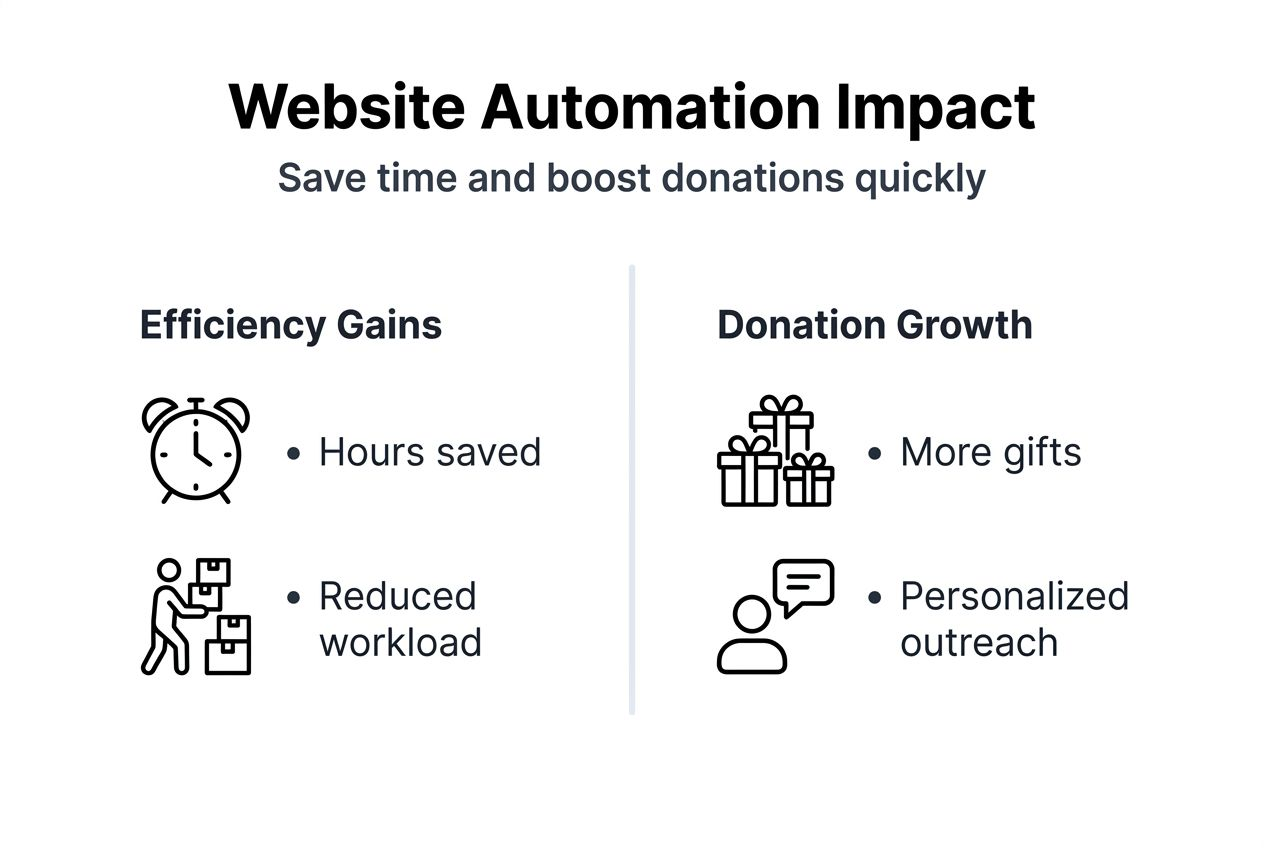
Continuous refinement transforms good automation into great results. Small improvements compound over months and years, multiplying impact far beyond initial implementation.
Applying a purpose driven marketing automation guide ensures your optimization efforts align with mission outcomes rather than just vanity metrics.
Explore powerful website automation solutions with MCNM
Your nonprofit or ministry deserves automation that amplifies your mission without compromising personal connection. MCNM Marketing specializes in purpose-driven automation strategies designed specifically for faith-based organizations and nonprofits.
Our team understands the unique challenges you face: limited budgets, small staff, and the critical importance of authentic relationships with supporters. We build automation systems that free your team while deepening engagement. From marketing automation that boosts donations to comprehensive automation checklists for nonprofits, we provide tools and guidance that fit your context.
Whether you need basic website design with built-in automation or advanced integration with your existing systems, we create solutions aligned with your ministry goals. Explore our resources to discover how automation transforms organizations like yours, then reach out to discuss your specific needs.
Frequently asked questions about website automation for nonprofits
What initial costs should nonprofits expect for website automation?
Entry-level automation platforms start free or under $50 monthly for small organizations. Mid-tier solutions range from $125-$500 monthly depending on contact volume and features. Most nonprofits see positive ROI within 3-6 months through time savings and increased donations, making initial investment manageable even on tight budgets.
How can automation maintain donor personalization?
Automation enables personalization at scale through segmentation and behavioral triggers. By grouping supporters by interests, giving history, and engagement levels, you send highly relevant messages impossible to manage manually. The key is thoughtful setup that uses data to create authentic, timely communications rather than generic mass emails.
Does website automation integrate with existing CRM platforms?
Most automation tools offer integration with popular nonprofit CRMs like Salesforce, DonorPerfect, and Kindful. Integration quality varies, so verify specific compatibility before selecting a platform. Some solutions like Bloomerang include built-in donor management, eliminating integration concerns for organizations without existing CRM systems.
How long does automation implementation typically take?
Basic email automation can launch within 1-2 weeks for simple workflows. Comprehensive implementation spanning multiple communication types typically requires 4-8 weeks, including setup, testing, and staff training. Phased approaches let you start quickly with one workflow while building toward more complex automation over several months.
What metrics indicate successful nonprofit automation?
Success shows through reduced administrative hours, increased email engagement rates, higher donation conversion, and improved supporter retention. Track time saved weekly, compare automated campaign performance against manual efforts, and monitor supporter feedback. Following marketing automation tips nonprofits use helps identify the right metrics for your organization's goals.
Recommended
- Automation Tools in Nonprofits: 79% Hit Efficiency Plateau | AI and Digital Marketing Service by MCNM
- Why Use Content Automation for Nonprofits | AI and Digital Marketing Service by MCNM
- Automate Marketing: 30% More Donor Engagement in 2026 | AI and Digital Marketing Service by MCNM
- The Benefits of Digital Marketing Automation for Ministries and Nonprofits | AI and Digital Marketing Service by MCNM
- How Gym Automation Tools Save 3+ Hours Weekly:... - Finegym