

Faith-based nonprofits pour their hearts into serving communities, yet many watch their websites fail to inspire action or generate donations. Outdated design, poor search visibility, and disconnected donor journeys leave mission-driven organizations struggling to compete online. AI-driven website optimization changes that equation, blending cutting-edge technology with theological integrity to boost engagement, visibility, and giving without compromising your values.
Table of Contents
- Prerequisites and what you need before starting
- Step 1: mission-aligned AI keyword and audience research
- Step 2: content structuring for AI search visibility and authority
- Step 3: AI-powered content creation and on-page SEO
- Step 4: implement AI-driven donor engagement automation
- Step 5: user experience optimization including mobile and accessibility
- Step 6: integration with WordPress and automation tools
- Common mistakes to avoid and troubleshooting
- Expected results and success metrics
- Discover tailored AI website solutions for faith nonprofits
- Frequently asked questions
Key takeaways
| Point | Details |
|---|---|
| Clear prerequisites enable smoother AI-driven optimization | Mission clarity, WordPress familiarity, and AI tool access lay the foundation for effective implementation. |
| Mission-aligned AI SEO and content structuring improve search visibility | Keyword research rooted in faith values and structured content boost AI search rankings and authority. |
| AI automates content creation and donor engagement boosting donations | Automation handles SEO tasks and personalizes outreach, freeing resources while increasing repeat giving. |
| Mobile and accessibility optimization increases user retention | AI-driven design recommendations ensure inclusivity and responsive experiences that keep visitors engaged. |
| Monitoring and ethical AI governance ensure sustained success | Regular audits and faith-aligned policies protect mission integrity while tracking measurable improvements. |
Prerequisites and what you need before starting
Starting AI website optimization without the right foundation creates frustration and wasted effort. You need clarity about your mission and audience before any tool can help. Define your core theological values and the specific communities you serve. When your team can articulate why you exist and who benefits, AI becomes a force multiplier rather than a confusing distraction.
Technical readiness matters just as much as mission clarity. Basic familiarity with WordPress CMS and your hosting environment prevents bottlenecks during implementation. You don't need to be a developer, but understanding how to navigate your dashboard, install plugins, and update content saves time and reduces dependency on outside help. If your current website feels like a mystery, invest a few hours learning WordPress basics before diving into AI tools.
Access to AI-powered website planning and SEO tools transforms months of manual research into days of strategic insight. Modern platforms analyze your content, suggest optimizations, and identify keyword opportunities aligned with your audience's search habits. These tools reduce planning time drastically, letting small teams compete with larger organizations. Budget for at least one quality AI SEO platform and one content optimization tool to start.
Commitment to ethical AI use and governance protects your theological integrity throughout the optimization process. Faith-based AI SEO integrates advanced AI with Biblical marketing to ensure technology serves mission rather than distorting it. Establish clear guidelines for AI-generated content review, data privacy, and donor communication before implementation begins. Without governance, automation risks diluting your message or violating supporter trust.
Essential preparation checklist:
- Document your mission statement and target audience demographics in detail
- Verify WordPress admin access and hosting provider support availability
- Research and trial at least two AI-powered SEO or content planning tools
- Draft initial AI governance policies covering content review and data handling
- Allocate staff time for ongoing monitoring and strategy adjustments
Pro Tip: Schedule a team meeting to align on non-negotiable theological principles before selecting AI tools. This prevents conflicts later when automation suggests content changes that might compromise your values.
Step 1: mission-aligned AI keyword and audience research
Keyword research forms the backbone of AI-driven visibility, but generic approaches miss the mark for faith-based nonprofits. Your audience searches differently than commercial consumers. They use phrases rooted in scripture, denominational language, and community-specific concerns. AI tools can identify these patterns if you feed them the right context about your mission and the people you serve.
Start by training AI platforms on your existing content and audience demographics. Upload sermons, newsletters, and donor testimonials so algorithms learn your unique vocabulary. Then use those tools to discover search terms your community actually uses. You might find supporters search for "Christian financial counseling near me" rather than "budget advice," or "faith-based addiction recovery" instead of generic rehab terms. These distinctions matter enormously for search rankings.

Voice and AI search optimization deserve special attention as more people ask questions aloud to devices and chatbots. Structure your research around natural language queries like "How can my church increase online giving?" rather than fragmented keywords like "church donations increase." Why use AI in nonprofits explains how conversational queries will dominate search by 2026, making question-based content essential for visibility.
Align every keyword strategy decision strictly with organizational mission and theological principles. If a high-volume keyword attracts the wrong audience or requires messaging that conflicts with your beliefs, skip it. Better to rank lower with the right people than attract masses who misunderstand your purpose. AI should amplify your existing message, not reshape it for algorithms.
Keyword research implementation steps:
- Compile a list of 20 to 30 core terms reflecting your mission and services
- Use AI tools to expand each term into related phrases and questions your audience asks
- Filter results through your theological lens, removing misaligned suggestions
- Prioritize keywords with clear intent to engage, learn, or donate
- Map approved keywords to specific pages and content types on your website
Pro Tip: Interview recent donors or volunteers about what they searched online before finding you. Their actual language often reveals keyword gold that AI tools miss when working from existing content alone.
Step 2: content structuring for AI search visibility and authority
AI search engines increasingly quote authoritative sources directly in results rather than just linking to websites. Structured content dramatically improves your chances of being cited. When your pages use clear hierarchies, FAQ formats, and schema markup, AI can easily extract and verify information to share with searchers. This visibility builds trust and drives traffic without paid advertising.
Start by organizing content into distinct sections with descriptive headings. Each page should answer specific questions completely rather than mixing multiple topics. Use heading tags properly: H2 for main sections, H3 for subsections, and so on. This hierarchy helps both human readers and AI systems understand your content's structure and extract key points accurately.
Schema markup adds invisible code that tells search engines exactly what your content represents. Mark up events, FAQs, how-to guides, and organizational information so AI can confidently feature your answers. WordPress plugins simplify this process, letting you add schema without coding knowledge. Content automation for nonprofits tools often include schema generation, saving hours of manual configuration.
Balance theological integrity with AI readability throughout your structuring process. Don't dumb down complex spiritual concepts just to please algorithms, but do explain terms clearly for readers unfamiliar with your tradition. AI rewards clarity and completeness, so thorough explanations that maintain doctrinal accuracy perform better than vague summaries or insider jargon.
Content structure best practices:
- Place your main answer or conclusion in the first paragraph of each section
- Use bullet points and numbered lists to break up dense information
- Include an FAQ section on every major page addressing common questions
- Add schema markup for events, articles, and organizational details
- Link related pages together to show topical authority and help AI understand connections
| Content Type | Optimal Structure | Schema Priority |
|---|---|---|
| Service Pages | Problem, Solution, Process, FAQ | Service, FAQ |
| Blog Articles | Introduction, Key Points, Details, Conclusion | Article, FAQ |
| Event Pages | Overview, Details, Registration, Location | Event |
| Donation Pages | Impact Story, Options, Process, FAQ | Organization, FAQ |
Step 3: AI-powered content creation and on-page SEO
Content creation consumes enormous time for small nonprofit teams, especially when combined with SEO optimization tasks. AI tools automate much of this workload without sacrificing quality or mission alignment. AI-driven SEO can automate keyword research and content optimization, cutting manual work by up to 50%, freeing your team to focus on direct ministry and relationship building.
Implement AI writing assistants that generate first drafts aligned with your keyword strategy and theological framework. These tools analyze top-performing content in your space, suggest structures, and create outlines you can refine. Always review and edit AI-generated content through your mission lens. The technology excels at research and organization but needs human oversight to ensure spiritual accuracy and authentic voice.
Automate repetitive on-page SEO tasks that drain staff energy without adding strategic value. AI tools can generate meta titles and descriptions, suggest internal links between related pages, write alt text for images, and optimize heading structures. This automation ensures consistency across your entire website while eliminating the tedious manual work that often gets skipped under time pressure.
Use AI feedback loops for real-time optimization and quality assurance throughout your content creation process. Modern platforms analyze published content, compare it against top performers, and suggest improvements. They catch missing keywords, identify thin sections needing expansion, and flag readability issues before visitors notice. This continuous improvement approach keeps your website competitive as search algorithms evolve.
AI content creation workflow:
- Define content topic, target keywords, and theological guardrails before generation
- Use AI to create detailed outlines and first drafts based on your parameters
- Review every paragraph for mission alignment, accuracy, and authentic voice
- Apply AI-suggested on-page SEO improvements for meta tags and internal linking
- Publish and monitor performance using AI analytics to identify refinement opportunities
Pro Tip: Create a brand voice guide with specific examples of acceptable and unacceptable phrasing before using AI writing tools. This document trains both team members and AI platforms on your organization's unique communication style, ensuring consistency across all generated content.
Both why use AI in nonprofits and content automation for nonprofits explore deeper implementation strategies that help teams transition from manual processes to AI-assisted workflows without losing the personal touch donors value.
Step 4: implement AI-driven donor engagement automation
Donor relationships determine nonprofit sustainability, yet manual follow-up often falls through the cracks during busy seasons. AI-powered marketing automation personalizes communication at scale, ensuring every supporter receives timely, relevant messages that strengthen connection and encourage ongoing giving. Automated donor engagement through AI-driven marketing automation tools can increase repeat donation rates by 20-30% compared to generic mass emails.
Start by mapping your donor journey from first website visit through repeat giving. Identify key touchpoints where personalized communication makes the biggest impact: thank you emails after donations, updates on project progress, event invitations based on interests, and re-engagement campaigns for lapsed supporters. AI automation handles these interactions consistently without requiring constant staff attention.
Integrate your automation platform with email marketing and CRM systems for seamless engagement across channels. When someone donates, automation can trigger a personalized thank you email, update their CRM record, tag them for relevant future campaigns, and schedule follow-up based on giving history. This integration eliminates manual data entry and ensures no supporter falls through the cracks between systems.
Respect donor preferences and faith values throughout your automation strategy. Always provide easy opt-out options and honor communication preferences promptly. Use data-driven insights to refine timing and messaging, but never let algorithms override human judgment about sensitive situations. If automation flags a major donor for a generic campaign, staff should review and personalize before sending.
Donor engagement automation essentials:
- Welcome series for new website visitors introducing your mission and impact
- Automated thank you sequences after donations with personalized impact stories
- Engagement campaigns triggered by specific actions like event registration or content downloads
- Re-engagement flows for supporters who haven't interacted in 90+ days
- Birthday and milestone recognition messages that build personal connection
Explore maximize donor engagement AI personalization for advanced segmentation strategies. Automate marketing donor engagement provides implementation templates, while the marketing automation checklist for nonprofits ensures you cover all critical setup steps.
Step 5: user experience optimization including mobile and accessibility
Even perfect content fails if visitors can't navigate your website easily or access it from their devices. Mobile responsiveness increases user retention by 25% as smartphones become the primary way people browse and donate. AI-driven design recommendations identify friction points and suggest improvements that welcome all visitors regardless of device or ability.
Use AI tools to audit your current mobile experience and flag problem areas. These platforms simulate visits from different devices, identify slow-loading elements, highlight text that's too small to read, and catch buttons too close together for accurate tapping. Many issues that frustrate mobile users go unnoticed when you only test on desktop computers.
Ensure ADA compliance and accessibility features welcome visitors with disabilities. AI accessibility checkers scan for missing alt text on images, insufficient color contrast, keyboard navigation problems, and screen reader incompatibilities. Fixing these issues isn't just ethical, it expands your potential audience and often improves the experience for everyone.
Implement AI-assisted navigation improvements that guide visitors toward meaningful actions. Heat mapping and behavior analysis tools show where people get stuck, what they ignore, and which paths lead to donations or engagement. Use these insights to restructure menus, add strategic calls to action, and remove distractions that pull attention away from your mission.
"Accessibility isn't an optional feature for faith organizations. When we remove barriers that prevent people from engaging with our content, we live out the inclusive welcome central to our beliefs. AI tools make comprehensive accessibility testing feasible even for small teams with limited budgets."
User experience optimization priorities:
- Run AI mobile audits quarterly to catch issues before they impact user retention
- Test donation forms on actual mobile devices, not just desktop browser simulators
- Add accessibility features progressively, starting with alt text and color contrast
- Simplify navigation to three clicks maximum from homepage to any key page
- Use AI behavior analysis to identify and fix friction points in conversion paths
The guide on website automation for nonprofits explains how automation maintains accessibility and mobile optimization as your site grows without constant manual testing.
Step 6: integration with WordPress and automation tools
Technical infrastructure determines whether AI optimization delivers lasting results or creates maintenance headaches. WordPress powers over 40% of websites because of its flexibility, but that same flexibility means choosing the right hosting, plugins, and configurations matters enormously. Enterprise-grade solutions provide the stability and security faith nonprofits need to protect donor data and maintain consistent performance.
Choose WordPress hosting specifically designed for nonprofit needs and traffic patterns. Shared hosting seems economical but often crashes during campaigns or events when you need reliability most. Managed WordPress hosting handles security updates, backups, and performance optimization automatically, letting your team focus on mission rather than server management.
Integrate AI-driven plugins designed for nonprofit mission alignment and compliance requirements. Generic marketing plugins often include features you'll never use while missing critical nonprofit-specific capabilities. Look for tools that handle donation tracking, volunteer management, event registration, and constituent relationship management within WordPress rather than requiring multiple disconnected platforms.
Automation streamlines operations and stabilizes costs over time by reducing manual website maintenance. Set up automated backups, security scans, performance monitoring, and uptime checks so problems get caught and fixed before visitors notice. This proactive approach prevents the emergency expenses that blow nonprofit technology budgets.
| Hosting Type | Best For | Avg Monthly Cost | Key Limitation |
|---|---|---|---|
| Shared Hosting | Very small sites under 1,000 visits/month | $5 to $15 | Performance, security, support |
| Managed WordPress | Growing nonprofits with consistent traffic | $25 to $100 | Feature limitations on entry plans |
| Enterprise WordPress | Large organizations with complex needs | $200+ | Cost, requires technical oversight |
| Custom Cloud | Multi-site networks or high traffic | $150+ | Complexity, ongoing management |
Select secure solutions that protect donor information and organizational data integrity. Verify that hosting providers offer SSL certificates, regular security patches, and compliance support for data protection regulations. One security breach destroys donor trust faster than years of relationship building can repair.
Learn more about integrating AI with WordPress for detailed configuration guides and plugin recommendations specific to nonprofit needs.
Common mistakes to avoid and troubleshooting
Even well-planned AI optimization efforts stumble over predictable pitfalls. Neglecting schema markup reduces AI search rankings because search engines can't confidently feature your content in AI-generated answers. Many nonprofits skip this step thinking it's too technical, but modern WordPress plugins make schema implementation simple. Prioritize FAQ and Article schema first for quick wins.
Over-automation without human oversight leads to mission drift and embarrassing mistakes. AI tools excel at efficiency but lack spiritual discernment. Every automated email, generated content piece, and optimization suggestion needs review through your theological lens before publication. Less than 10% of nonprofits have AI governance policies, creating strategic risk that threatens both effectiveness and donor trust.
Implement clear AI governance policies aligned with your faith values to mitigate ethical risks. Document who reviews AI-generated content, what approval process applies to automated communications, how donor data gets used in personalization, and which decisions require human judgment. Update these policies as you learn what works and what creates problems.
Perform regular technical audits to ensure WordPress, plugins, and hosting remain compatible as updates roll out. Plugins that worked perfectly last month can break after WordPress core updates if developers don't maintain compatibility. Schedule monthly checks of critical functionality like donation forms, email signups, and mobile navigation.
Address mobile and accessibility design gaps proactively rather than waiting for complaints. Many visitors won't tell you when they struggle with your website, they simply leave and never return. Use AI audit tools monthly to catch issues before they cost you supporters and donations.
Critical mistake prevention checklist:
- Add schema markup to all major content types within your first month of optimization
- Assign specific staff members to review AI-generated content before publication
- Create written AI governance policies covering content, communications, and data use
- Schedule monthly technical audits of WordPress core, plugins, and critical functionality
- Run quarterly accessibility and mobile experience audits with remediation timelines
Pro Tip: Build a simple spreadsheet tracking AI tool usage, approval workflows, and any mission alignment concerns that arise. Review this log quarterly to identify patterns and refine your governance policies based on actual experience rather than assumptions.
The purpose-driven marketing automation guide explores how to maintain mission integrity while scaling digital operations through AI and automation.
Expected results and success metrics
Realistic expectations prevent frustration and help teams stay committed through the optimization process. Expected timelines to see measurable engagement and donation improvements range between 3 to 6 months post-implementation, depending on your starting point and consistency. Search engines need time to re-crawl your site, evaluate changes, and adjust rankings. Quick wins appear in weeks, but substantial traffic and giving increases take patience.
Key metrics reveal whether your AI optimization delivers real impact or just busywork. Track website engagement rates including time on site, pages per session, and bounce rates to gauge content quality. Monitor donation frequency, average gift size, and repeat donor percentages to measure financial impact. Watch AI search rankings for your target keywords and track how often your content gets cited in AI-generated answers.
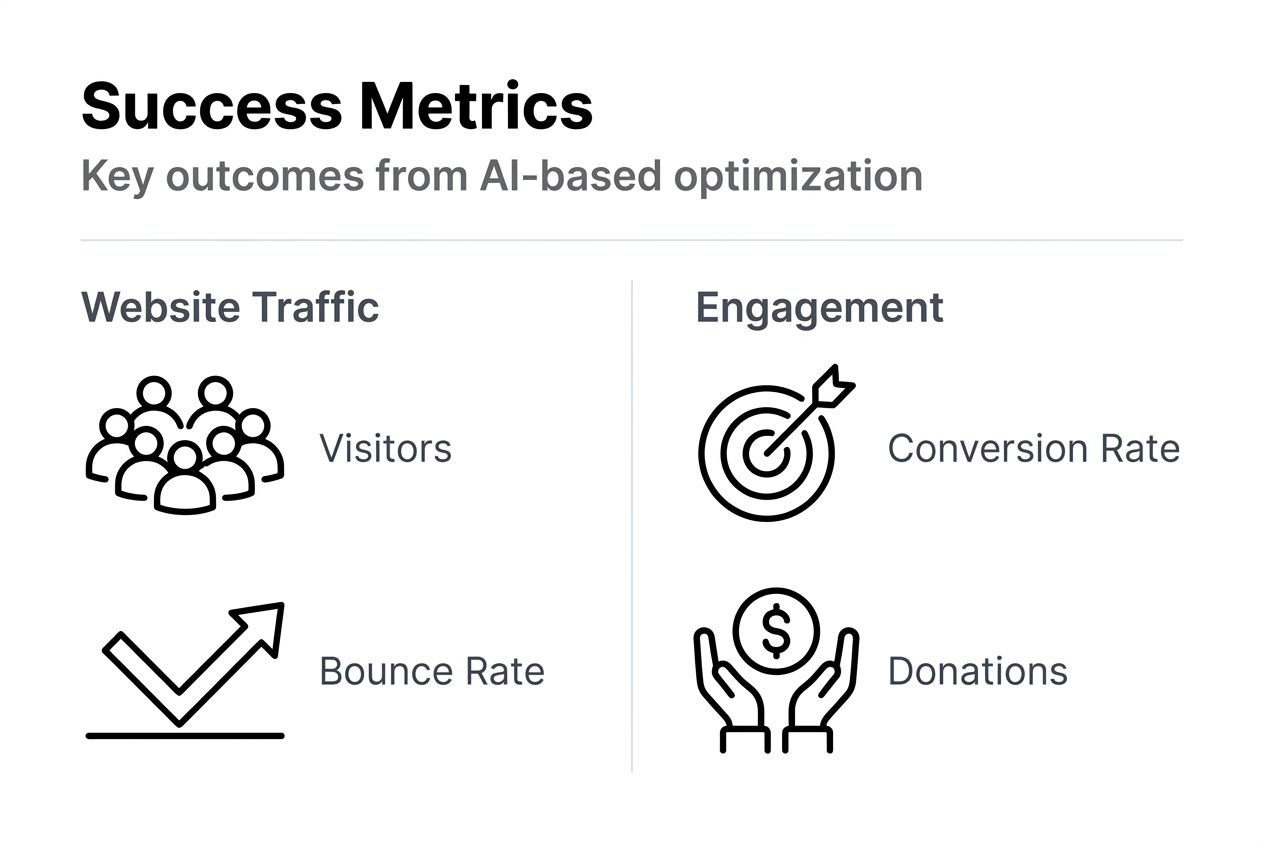
Continuous monitoring and ethical AI governance remain crucial for sustained results. What works today might need adjustment as algorithms evolve, competitor strategies change, and your organization grows. Schedule monthly metric reviews and quarterly strategy sessions to identify what's working, what needs refinement, and where new opportunities exist.
Use performance data to adjust your strategy while maintaining theological alignment. If automated emails boost donations but feel impersonal, refine the messaging rather than abandoning automation. If certain keywords drive traffic from outside your target audience, shift focus to better-aligned terms. Let metrics inform decisions without overriding mission priorities.
| Metric Category | Key Indicators | Target Improvement | Timeline |
|---|---|---|---|
| Search Visibility | Keyword rankings, AI citations, organic traffic | 30-50% increase | 4-6 months |
| Engagement | Time on site, pages/session, bounce rate | 20-35% improvement | 2-4 months |
| Donations | Conversion rate, average gift, repeat donors | 15-30% growth | 3-6 months |
| Technical Performance | Page speed, mobile usability, accessibility score | 25-40% optimization | 1-3 months |
Discover tailored AI website solutions for faith nonprofits
Optimizing your website for greater engagement and donations requires more than just understanding the process. It demands implementation expertise, ongoing support, and tools designed specifically for faith-based organizations. MCNM Marketing specializes in helping nonprofits and ministries leverage AI-driven solutions that align with your mission while delivering measurable results.
Whether you need a complete website refresh through basic website design or want to implement the donor engagement strategies that drive marketing automation 33 percent more donations for nonprofits, we provide the technical foundation and strategic guidance to succeed. Our WordPress expertise ensures your platform can scale securely as your organization grows.
Explore how integrating AI with WordPress transforms digital operations from time-consuming tasks into automated systems that free your team to focus on ministry. Schedule a consultation to discover which solutions fit your current needs and budget while positioning you for sustained growth.
Frequently asked questions
How long does it take to see results from AI website optimization?
Most faith-based nonprofits notice initial improvements in website engagement within 2 to 3 months of implementing AI optimization strategies. Measurable increases in donations typically appear between 3 to 6 months as search rankings improve and automated donor engagement systems mature. Consistent monitoring and adjustments accelerate results by identifying what works best for your specific audience.
Can AI tools conflict with faith-based missions?
Faith-based AI SEO frameworks merge AI technology with Biblical marketing principles to ethically enhance mission impact when implemented properly. The key is maintaining human oversight and establishing clear governance policies before deploying automation. AI should amplify your existing message and values, not reshape them to chase algorithmic preferences.
What are common mistakes to avoid in AI website optimization?
Neglecting schema markup and over-automating without human review top the list of optimization mistakes. Many nonprofits also skip developing AI governance policies, creating ethical risks and potential mission drift. Technical incompatibilities between WordPress, plugins, and hosting cause preventable downtime. Address these issues proactively through regular audits and clear approval workflows.
How can AI improve donor engagement for faith nonprofits?
AI personalizes follow-up communication and automates touchpoints throughout the donor journey, ensuring consistent engagement without overwhelming small staff teams. AI-driven marketing automation can increase repeat donation rates by 20-30% by delivering relevant messages at optimal times. Integration with email platforms and CRM systems creates seamless experiences that build lasting relationships.
What technical skills are needed to start optimization?
Basic familiarity with WordPress navigation and your hosting environment provides sufficient foundation for most nonprofits starting AI optimization. You should understand how to add pages, install plugins, and update content without developer help. Willingness to learn AI-powered planning and SEO tools matters more than advanced technical expertise, as modern platforms prioritize user-friendly interfaces over complex coding requirements.
Recommended
- Why Use AI in Nonprofits: Boosting Impact and Efficiency | AI and Digital Marketing Service by MCNM
- AI Tools for Small Business Growth in 2025 | AI and Digital Marketing Service by MCNM
- Maximize donor engagement with AI personalization in 2026 | AI and Digital Marketing Service by MCNM
- Services | AI and Digital Marketing Service by MCNM