

If you're leading marketing at a faith-based nonprofit, you've likely hit a familiar wall. Your team is overwhelmed, donor engagement feels stagnant, and you're not sure how to scale personal outreach without losing the mission-driven warmth your community expects. Marketing automation promises relief, but where do you start without compromising your values? This guide walks you through the exact steps to implement automation that boosts donor interaction by at least 30% while staying true to your ministry's heart.
Table of Contents
- Prerequisites and Tools Needed
- Stepwise Process for Automation
- Common Mistakes and Troubleshooting
- Expected Results and Outcomes
- Ethical and Safety Considerations in Nonprofit Automation
- Enhance Your Faith-Based Nonprofit Marketing with MCNM Solutions
- Frequently Asked Questions About Automating Marketing for Faith-Based Nonprofits
Key Takeaways
| Point | Details |
|---|---|
| Prerequisites Matter | You need WordPress platforms with nonprofit plugins, clear goals, clean donor data, and a $75 to $300 monthly budget before starting. |
| Follow a Sequential Process | Begin with audience segmentation, integrate AI tools, automate content distribution, and personalize continuously for best results. |
| Avoid Over-Automation | Robotic messaging causes over 50% of donor disengagement, so balance automation with genuine human connection throughout. |
| Expect Measurable Gains | Typical nonprofits see 30% higher engagement, 41% better email open rates, and 60% less manual work within 3 to 6 months. |
| Ethics Are Non-Negotiable | Protect donor data, comply with privacy regulations, and align every automated message with your faith-based mission values. |
Prerequisites and Tools Needed
Before you automate anything, you need the right foundation. Think of it like building a house. You wouldn't start hanging drywall before pouring the foundation, right? The same logic applies here.
First, your website platform matters enormously. WordPress platforms with automation plugins specialized for nonprofits provide the best starting point. These systems integrate seamlessly with donor management tools and offer the flexibility your ministry needs. Most entry-level marketing automation tools cost between $75 and $300 monthly, making them accessible even for smaller organizations.
Your team needs preparation too. Staff training isn't optional. Someone on your team must understand how to segment audiences, create automated workflows, and interpret engagement metrics. Without this knowledge, even the best tools will sit unused.
Data hygiene comes next. If your donor database is a mess with duplicate entries, outdated contact information, or inconsistent tagging, automation will amplify those problems. Clean your data first. Segment donors by giving history, engagement level, and ministry interest before building any automated campaigns.
Here's what you absolutely must have ready:
- Clear marketing goals with specific metrics (example: increase email open rates by 25% or boost event registrations by 40%)
- Donor segmentation data organized by giving patterns, communication preferences, and engagement history
- Integration readiness for AI features like chatbots and personalized content engines
- Budget allocation for tools, training, and ongoing optimization
- Staff capacity to monitor, adjust, and maintain automated systems
| Tool Category | Monthly Cost Range | Primary Purpose |
|---|---|---|
| Email Automation Platform | $75 to $150 | Segmented campaigns and drip sequences |
| AI Chatbot Integration | $50 to $120 | Instant donor engagement and FAQ responses |
| Analytics Dashboard | $0 to $100 | Track performance and optimize workflows |
| CRM Connector | $30 to $80 | Sync donor data across platforms |
Pro Tip: Start with one automation workflow rather than trying to automate everything at once. Pick your highest-impact channel (usually email) and perfect that system before expanding to social media or SMS.
For a complete checklist of what you need before starting, review this marketing automation checklist for nonprofits to ensure nothing falls through the cracks.
Stepwise Process for Automation
Now that you've laid the groundwork, let's walk through implementation step by step. This isn't theory. It's the exact process that helps nonprofits achieve over 30% improvement in donor engagement when followed correctly.
Step 1: Define Your Goals and Segment Your Audience
Start by asking what you want automation to accomplish. Do you need more monthly donors? Better event attendance? Higher volunteer sign-ups? Write down three specific, measurable goals.
Next, segment your donor list. Not everyone in your database needs the same message. Create groups based on giving frequency, donation amount, volunteer history, and engagement with past campaigns. The more specific your segments, the more personal your automation feels.
Step 2: Clean and Organize Your Donor Data
This step is tedious but critical. Remove duplicate contacts, update outdated information, and standardize how you tag donors. If your data is messy, your automated messages will reach the wrong people at the wrong time.

Verify email addresses using validation tools. Archive inactive contacts who haven't engaged in over two years. Create a consistent naming convention for tags and segments so everyone on your team understands the system.
Step 3: Choose and Integrate AI-Powered Automation Tools
Select tools that work well with WordPress and integrate smoothly with your existing systems. Look for platforms offering donor journey mapping, behavioral triggers, and personalization features. Integrating AI with WordPress requires careful planning but delivers powerful results.
AI chatbots deserve special attention. These tools can increase donor interaction rates by nearly 25% by providing instant responses to common questions. Install a chatbot on your donation page, event registration forms, and volunteer sign-up sections.
Step 4: Automate Content Distribution Across Channels
Set up automated workflows for email, social media, and chatbot interactions. Create welcome sequences for new subscribers, re-engagement campaigns for lapsed donors, and milestone messages celebrating donor anniversaries.
Schedule social media posts in advance, but leave room for real-time interaction. Your automation should handle routine updates while freeing your team to engage authentically when opportunities arise.
Step 5: Continuously Personalize Messaging Using Behavioral Data
Automation works best when it feels human. Use behavioral triggers to send relevant messages based on what donors actually do. If someone downloads your prayer guide, follow up with related content rather than a generic newsletter.
Test different message variations to see what resonates. Track open rates, click-through rates, and conversion metrics for each segment. Adjust your workflows monthly based on what the data reveals.
Pro Tip: Use the marketing automation checklist to track your progress through each implementation step and ensure nothing gets skipped.
For comprehensive guidance on building automation that aligns with your mission, explore this purpose-driven marketing automation guide specifically designed for nonprofits like yours.
Common Mistakes and Troubleshooting
Even with solid preparation, automation can go sideways. Let's address the mistakes that trip up most nonprofits so you can avoid them entirely.
Lack of Clear, Measurable Goals
Here's a sobering stat: projects without specific automation goals face a 40% higher failure risk. Vague objectives like "improve engagement" don't give you anything to measure or optimize. Instead, set targets like "increase email open rates from 18% to 25% within four months" or "grow monthly donor retention by 15% by year end."
If your automation isn't performing, revisit your goals first. Are they specific enough? Do you have the right metrics in place to track progress?
Over-Automation Leading to Donor Disengagement
This is the biggest killer of nonprofit automation. Over 50% of donors report disengagement when they receive messages that feel robotic or impersonal. Your supporters give because they connect with your mission and community. If automation strips away that human element, you'll lose them.
Balance is everything. Automate routine communications like receipts, welcome emails, and event reminders. Keep personal outreach, gratitude calls, and crisis communications manual. Your donors should never wonder if a real person cares about their involvement.
"The moment donors feel like just another entry in a database, you've lost the relationship. Automation should amplify your team's capacity for personal connection, not replace it." – Faith-Based Nonprofit Leadership Survey, 2026
Poor Data Management Affecting Campaigns
Data issues plague 35% of automation projects. Incorrect segmentation sends the wrong message to the wrong person. Outdated contact information means your carefully crafted emails never arrive. Duplicate records cause donors to receive multiple copies of the same message, making your organization look disorganized.
Fix this by scheduling quarterly data audits. Assign someone to review and clean your database regularly. Implement validation rules that prevent bad data from entering your system in the first place.
Insufficient Staff Training
Automation tools are worthless if your team doesn't know how to use them. Inadequate training contributes to 30% of implementation failures. Invest in thorough onboarding for everyone who touches your marketing systems.
Create simple documentation that explains your workflows, segmentation logic, and troubleshooting steps. Hold monthly review sessions where your team discusses what's working and what needs adjustment.
Pro Tip: When troubleshooting low engagement, check your email sending reputation first. If your domain has been flagged for spam, even perfect automation won't reach donor inboxes. Use authentication protocols like SPF, DKIM, and DMARC to maintain deliverability.
For additional strategies to avoid these pitfalls, review these marketing automation tips for nonprofits that address the most common implementation challenges.
Expected Results and Outcomes
Let's talk numbers. What can you realistically expect after implementing marketing automation?
Timeline for Full Implementation
Most nonprofits need three to six months to see the full effects of automation. The first month covers setup and testing. Months two and three involve refinement as you learn what resonates with your audience. By month four, you should see consistent improvement in your target metrics.
Don't expect overnight transformation. Automation is a marathon, not a sprint. Early results might feel modest, but compound effects build over time as you optimize workflows and gather more behavioral data.
Engagement and Performance Metrics
Here's what well-implemented automation typically delivers:
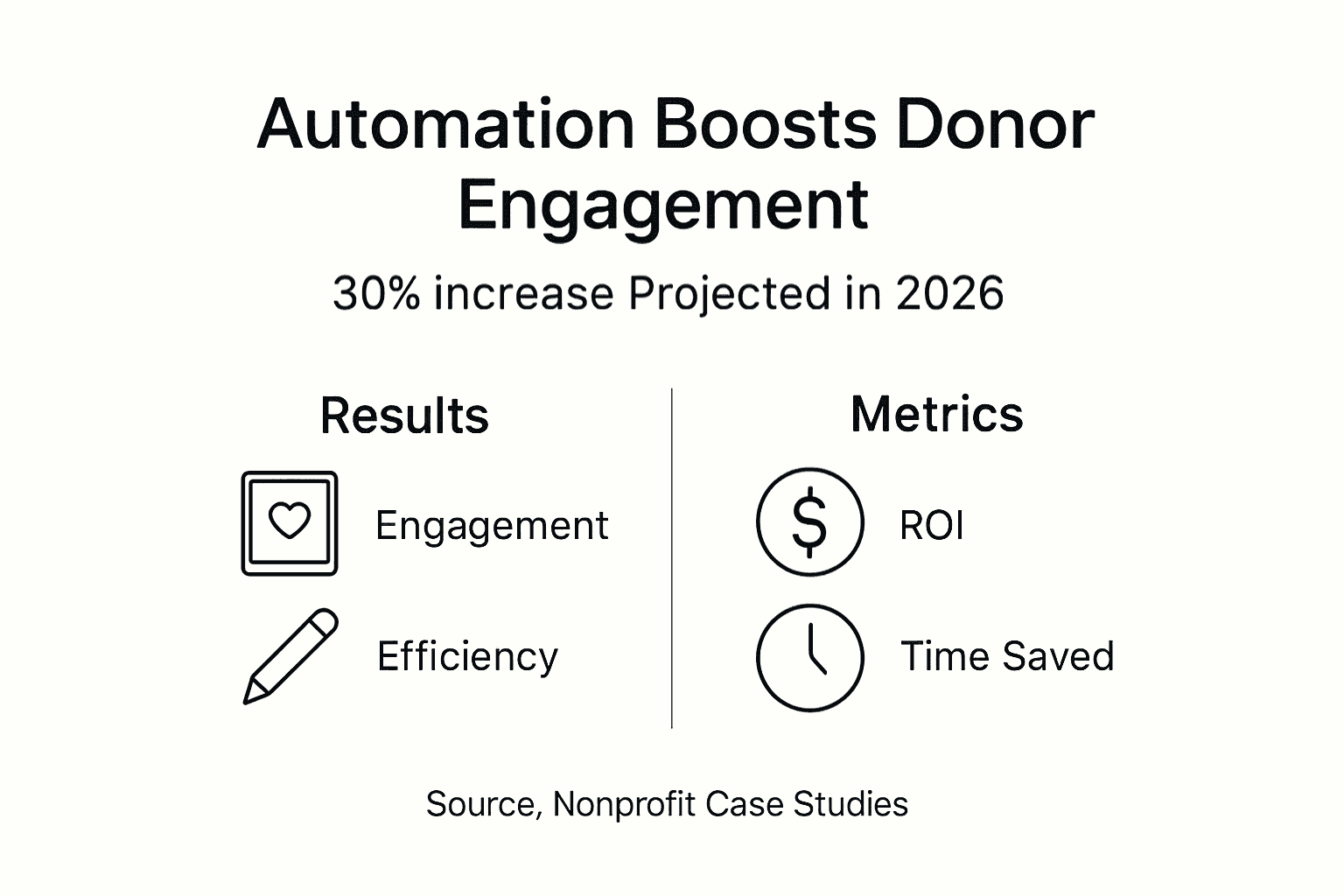
- At least 30% increase in donor engagement measured by email interactions, website visits, and response rates
- 41% improvement in email open rates using AI-powered personalization and send-time optimization
- 25% higher click-through rates on calls to action within automated campaigns
- 35% increase in event registrations through automated reminder sequences
- 20% growth in monthly donor retention due to consistent, relevant touchpoints
| Metric | Before Automation | After 6 Months | Improvement |
|---|---|---|---|
| Email Open Rate | 18% | 25.4% | 41% increase |
| Donor Engagement Score | 3.2/10 | 4.6/10 | 44% increase |
| Monthly Donor Retention | 68% | 81.6% | 20% increase |
| Manual Marketing Hours | 40/week | 16/week | 60% reduction |
Efficiency and Time Savings
The operational benefits are just as impressive as the engagement gains. Manual marketing workload typically drops by 60% once automation handles routine tasks. Your team reclaims hours previously spent on repetitive work like scheduling social posts, sending follow-up emails, and segmenting lists.
This freed capacity lets your staff focus on strategic initiatives like campaign planning, donor relationship building, and creative content development. The quality of your marketing improves because people aren't buried in busywork.
Return on Investment
Most nonprofits realize positive ROI within 12 months of deployment. Your initial investment covers tools, training, and setup time. Returns come from increased donations, higher donor retention, reduced staff hours, and improved campaign performance.
Calculate your potential ROI by estimating the value of time saved plus increased donation revenue. For many organizations, even a modest 10% increase in donor giving covers the entire cost of automation several times over.
For deeper insights into how automation drives these results, explore the content automation benefits your nonprofit can achieve with the right approach.
Ethical and Safety Considerations in Nonprofit Automation
As a faith-based organization, you hold yourself to higher standards. Your automation must reflect the values you preach. Here's how to ensure your technology serves your mission rather than compromising it.
Preserve Personal Connection
Automation should enhance relationships, not replace them. Never let technology become a barrier between your team and your supporters. Schedule regular personal check-ins with major donors, volunteers, and long-time supporters that bypass automation entirely.
Use automation to identify opportunities for human connection rather than substituting for it. For example, set up a workflow that alerts your team when a donor reaches a milestone, then make a personal phone call rather than sending an automated email.
Data Privacy and Compliance
You hold sensitive information about donors' giving history, communication preferences, and sometimes prayer requests or personal struggles. This data deserves maximum protection. Comply fully with regulations like GDPR if you have international supporters, and follow state-specific privacy laws.
Be transparent about how you use donor information. Include clear opt-in language on forms. Make it easy for supporters to update preferences or remove themselves from your database. Never share or sell donor data to third parties.
Security and Trustworthiness of AI Tools
Vet any AI tool before integration. Where is donor data stored? Who has access? What security protocols protect information? Is the vendor reputable with a track record in the nonprofit sector?
Use encryption for data transmission and storage. Implement strong password policies and multi-factor authentication for anyone accessing your marketing systems. Regular security audits should be standard practice, not an afterthought.
Faith-Based Values Alignment
Every automated message should reflect your ministry's values and voice. Review templates to ensure language aligns with your faith tradition and organizational culture. Avoid generic corporate-speak that sounds like it came from a Fortune 500 company rather than a faith community.
Consider the ethical implications of AI-generated content. Should your automated chatbot handle prayer requests, or should those always go to a real person? Where's the line between efficiency and pastoral care? Have these conversations with your leadership team before problems arise.
"Technology is a tool, not a replacement for the Holy Spirit's work through human connection. Our automation must always serve the relationship, never substitute for it." – Faith and Technology Integration Study, 2026
Key Ethical Practices:
- Always disclose when donors are interacting with automated systems versus real people
- Provide easy opt-out options in every automated communication
- Review automated responses monthly to ensure they align with current ministry priorities and values
- Create escalation pathways so sensitive issues reach human staff immediately
- Train your team to recognize when automation is inappropriate and manual outreach is required
Enhance Your Faith-Based Nonprofit Marketing with MCNM Solutions
You now understand the strategy, tools, and ethical framework for effective marketing automation. The next question is execution. MCNM Marketing specializes in helping faith-based nonprofits like yours implement automation that respects your mission while delivering measurable results. Our WordPress Basic Website Package provides the foundation you need for effective automation. We've developed a comprehensive marketing automation checklist for nonprofits that guides you through every implementation step. Plus, our marketing automation tips for nonprofits offer ongoing support as you refine your approach. We understand that your ministry's digital presence must reflect your values while achieving practical results. Our team brings both technical expertise and respect for faith-based missions to every project.
Frequently Asked Questions About Automating Marketing for Faith-Based Nonprofits
What is the best marketing automation tool for small faith-based nonprofits?
For smaller organizations, platforms like Mailchimp for Nonprofits or Constant Contact offer affordable entry points with intuitive interfaces. These integrate well with WordPress sites and provide essential automation features without overwhelming complexity. As you grow, consider more robust options like HubSpot or ActiveCampaign that offer advanced segmentation and AI capabilities.
How can we maintain personal donor relationships while using automation?
Use automation for routine communications like receipts, welcome sequences, and event reminders, but reserve major gift solicitations, crisis communications, and gratitude expressions for personal outreach. Set up alerts that notify your team when donors reach milestones or show changed behavior, then respond personally. The key is using automation to create space for deeper human connection rather than replacing it.
How long does it usually take to see results from marketing automation?
Most nonprofits notice initial improvements within six to eight weeks as workflows stabilize and data accumulates. Significant results typically emerge around the three to four month mark. Full optimization usually takes six months as you refine segmentation, test messaging variations, and adjust workflows based on performance data. Patience and consistent monitoring are essential during the early phases.
Are AI chatbots ethical for use in faith-based donor communication?
Yes, when implemented thoughtfully. Use chatbots for factual questions like donation processes, event details, and volunteer opportunities. Always route pastoral care requests, prayer needs, and sensitive personal issues to real staff members immediately. Clearly disclose when donors are interacting with automated systems, and provide easy pathways to reach a human. Chatbots excel at handling routine inquiries efficiently so your team can focus on meaningful personal interactions.
What budget should we plan for marketing automation tools?
Entry-level automation typically costs $75 to $300 monthly depending on your contact list size and feature requirements. Factor in additional expenses for staff training (around $500 to $1,000 initially), potential consultant fees for setup assistance ($1,000 to $3,000 for initial configuration), and ongoing optimization time. Most small to mid-sized nonprofits can implement effective automation for under $5,000 in the first year including all costs, with annual expenses dropping significantly after initial setup.
Recommended
- Email Marketing Automation: Boosting Nonprofit Engagement | AI and Digital Marketing Service by MCNM
- 6-Step Marketing Automation Checklist for Nonprofits | AI and Digital Marketing Service by MCNM
- 7 Essential Marketing Automation Tips for Nonprofits | AI and Digital Marketing Service by MCNM
- Purpose-Driven Marketing Automation Guide for Nonprofits | AI and Digital Marketing Service by MCNM
- Lead Generation Services & Performance Marketing | Lead To Yield - leadtoyield.com